
AI automation integrations connect the tools you already pay for so work moves between them without a person copying and pasting. That is the whole idea. Not robots running your company. Just your forms, CRM, email platform, ad accounts, calendar, and reporting talking to each other so nothing gets dropped.
Most growing businesses do not have an effort problem. They have a friction problem. This guide walks through where that friction usually hides, which AI automation integrations are worth building first, and how to tell whether any of it is actually working.
Why AI automation integrations are no longer optional
Adoption is no longer the hard part. In McKinsey’s 2025 State of AI survey of 1,993 respondents across 105 countries, 88 percent said their organization regularly uses AI in at least one business function, up from 78 percent a year earlier. Only about a third had begun scaling it, and just 39 percent could point to any measurable EBIT impact at the enterprise level.
The gap between those two numbers is the point of this article. Buying AI tools is easy. Getting value out of them is a workflow problem. McKinsey found that the companies seeing real returns were nearly three times as likely to have fundamentally redesigned their workflows. That workflow redesign was one of the strongest predictors of meaningful business impact among all the factors they tested.
There is plenty of room to work with. Slack’s Workforce Lab surveyed more than 10,000 desk workers and found they spend 41 percent of their time on tasks they describe as low value, repetitive, or not meaningfully connected to their actual job. That is roughly two days a week per person spent on the work of work.
The problem is usually friction, not effort.
Teams lose hours moving information between tools. Leads fall through the cracks. Campaigns run without clear attribution. Sales waits too long to follow up. Reports get rebuilt by hand every month. The same customer questions get answered from scratch. Owners make decisions from incomplete dashboards.
None of that is a motivation problem. It is a plumbing problem, and plumbing is exactly what AI automation integrations fix.
Below are the practical ways to adopt AI-driven automation without losing the human judgment that makes a brand worth trusting.
How to plan your AI automation integrations
Map your process before you buy AI automation tools
The first step is not choosing automation software. It is understanding where your business wastes time, loses data, or delays action.
Most companies add tools reactively. A CRM when sales gets busy. An email platform when marketing picks up. A scheduling app. A spreadsheet for reporting. A chat widget for questions. Each one solved a real problem on the day it was bought. Together they create a stack where nobody is quite sure which system holds the truth.
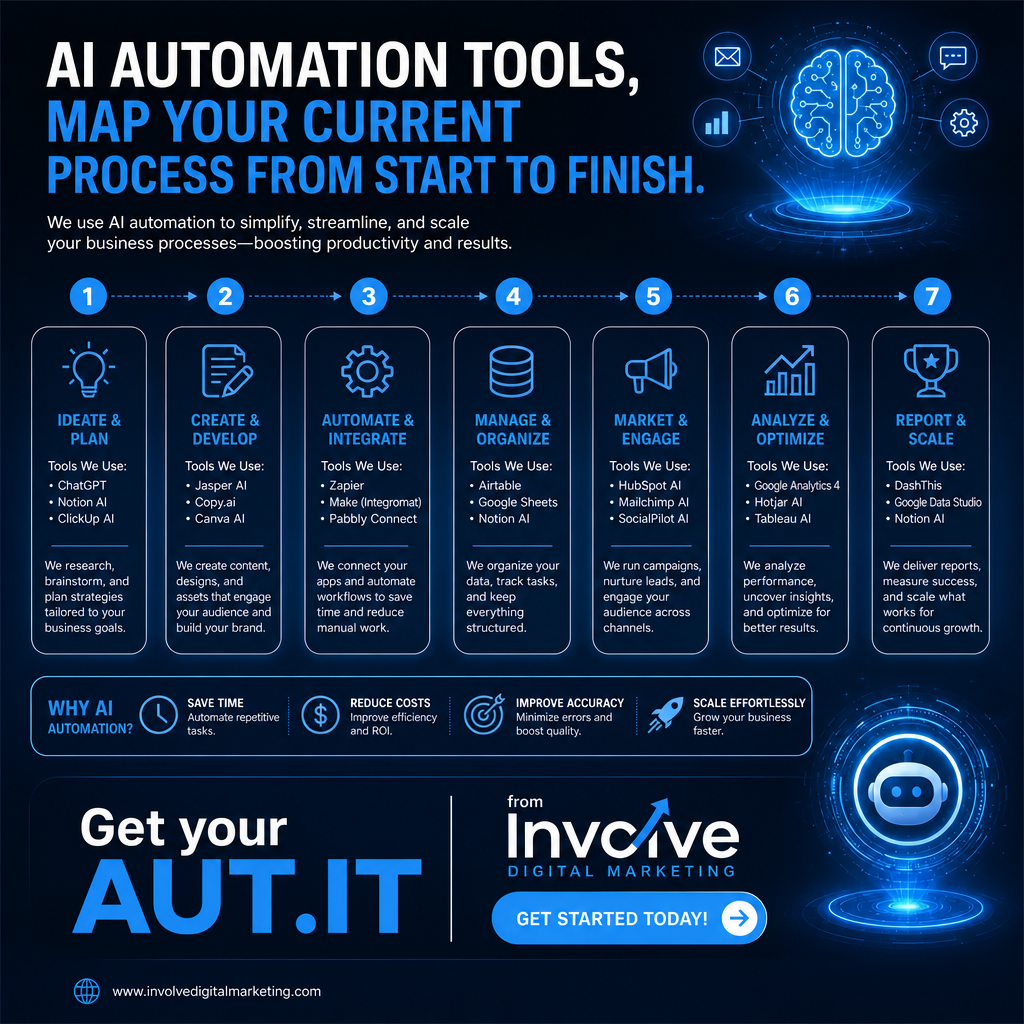
Before you spend anything, walk one lead from first contact to closed deal and write down every step. Ask:
- Where does a lead enter the business?
- Who receives it first, and how do they find out?
- How quickly does follow-up actually happen?
- Which steps are still manual?
- Where does customer information get entered twice?
- Which reports take the longest to prepare?
- Where do teams rely on memory instead of a system?
- Which marketing tasks repeat every single week?
- Where do approvals and handoffs stall?
That diagnosis is what tells you which bottleneck an integration, a dashboard, or an AI agent can actually solve. Skip it, and automation makes a broken process run faster.
Connect your marketing data into one source of truth
Digital marketing works best when you can view every campaign, channel, and customer interaction together. The problem is that the data usually sits in ten places:
- Google Analytics
- Meta Ads
- Google Ads
- Email marketing software
- CRM records
- Call tracking
- Landing page forms
- Social media insights
- Scheduling platforms
- E-commerce or payment systems
When these systems do not talk, it gets hard to know what is working. A campaign generates leads, but sales cannot tell which ad produced them. A landing page collects form submissions, but leadership never learns whether those leads became customers.
This is the highest-leverage place to start. AI automation integrations can pull these platforms into one all-in-one marketing dashboard so you stop exporting spreadsheets to answer basic questions.
Choose tool integrations that match your actual strategy
Not every business needs the same stack. A local service company, an online retailer, a professional services firm, a healthcare practice, and a B2B agency all have different constraints. Before choosing tools, get specific about the goal:
- Are we trying to generate more leads, or better ones?
- Are we losing deals to slow follow-up?
- Do we need reporting we can trust?
- Are customers confused after they buy?
- Is the sales team overwhelmed?
- Are we spending too many hours on manual marketing tasks?
- Are we trying to scale without adding overhead?
Tool integrations should serve those priorities. Otherwise, you end up paying for a complex system that solves a problem you do not have. Our breakdown of the best AI marketing tools for small businesses covers which categories tend to earn their subscription and which do not.
The most effective stack is usually small, connected, and intentional.
Build a phased AI automation roadmap.
You do not need to automate everything at once, and trying to do so usually backfires. Start with high-impact, low-complexity work:
- Lead capture from every form and channel
- Instant inquiry responses
- Automatic CRM updates
- Appointment reminders
- Review requests after a completed job
- A basic performance dashboard
- Email nurture sequences
- Internal task notifications
Once those run reliably, move into the harder layer: lead scoring, AI agents for qualification, multi-channel attribution, predictive reporting, dynamic customer journeys, and sentiment analysis.
Then keep tuning. Automation should not be static. As the business changes, the workflows should change with it.
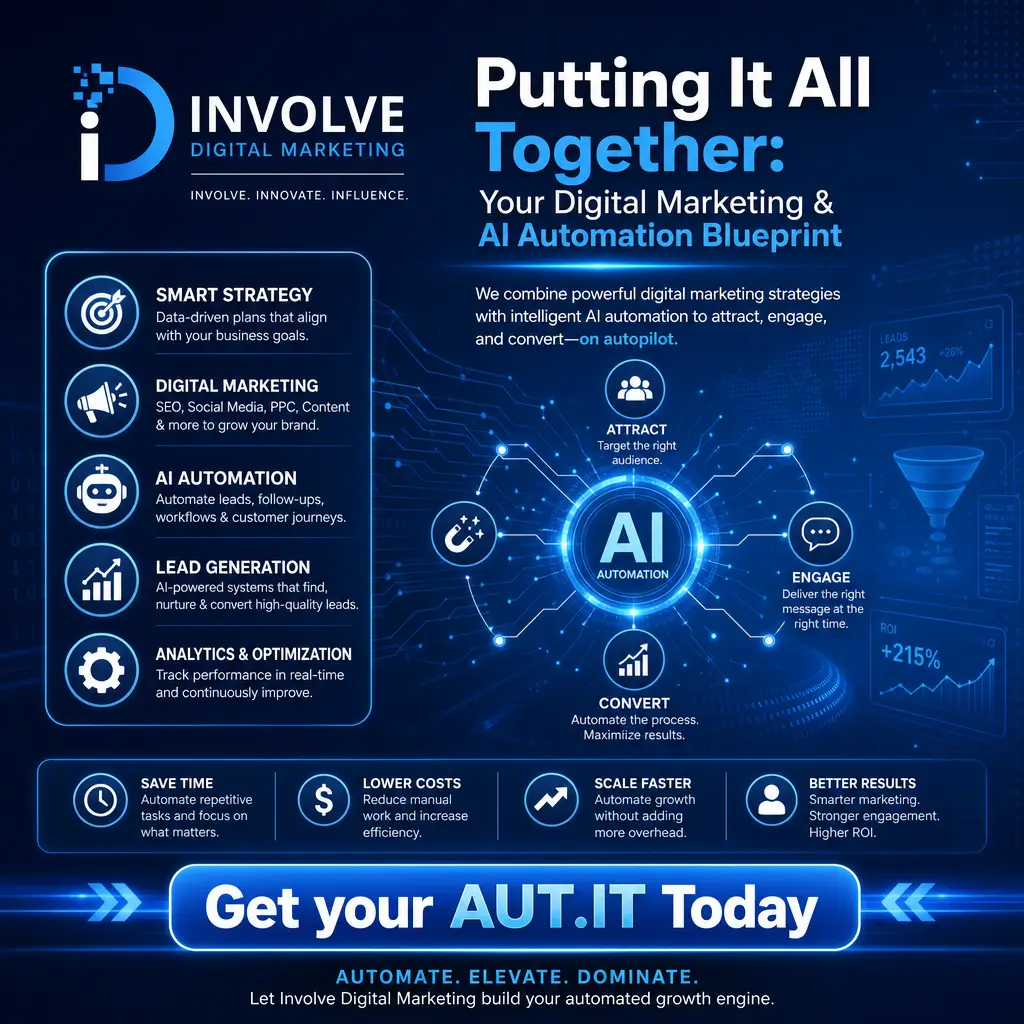
AI automation integrations that improve marketing and sales
Cut lead response time with AI agents
Speed is the single easiest win here, and it is measurable. The classic Harvard Business Review study, The Short Life of Online Sales Leads found that companies contacting a lead within an hour were nearly seven times more likely to have a meaningful conversation with a decision maker than those that waited just one hour longer, and more than 60 times more likely than those that waited a full day. Nearly a quarter of the companies studied never responded at all.

AI agents are not there to replace your sales team. They handle first touch, screening, routing, and reminders so people can spend their time on the conversations that need a person. In practice, that looks like:
- An instant reply the moment a form is submitted
- Qualifying questions asked automatically
- Routing by service type or location
- Self-service appointment scheduling
- A notification to the right team member
- CRM records updated without anyone typing
- Follow-up sequences triggered on behavior
- Reminders about pending opportunities
- Conversation summaries handed to the rep before the call
For local businesses fielding inquiries from a website, a Google Business Profile, a phone line, and social messages all day, this is where the money is. We cover the setup in more detail in our guide to AI agents for small business.
Automate repetitive marketing tasks without removing creativity
Some owners worry automation will make their marketing feel robotic. That happens when automation replaces thinking. Used correctly, it buys time for thinking.
The repetitive, process-based work is what belongs in an automation:
- Welcome emails
- Contact segmentation
- Scheduled publishing
- Task reminders
- Moving leads between funnel stages
- Review requests
- Abandoned cart emails
- Campaign result notifications
- Audience list updates
- Monthly report drafts
- Re-engagement for inactive leads
Brand voice, offer strategy, and customer empathy still need a human. Our rule is simple: automate the repeatable, personalize the meaningful.
Build smarter customer journeys with AI workflow automation
A customer journey is rarely a straight line. Someone sees a social ad, visits the site, reads a post, joins the email list, books a call, compares options, and decides three weeks later. Supporting that consistently by hand is not realistic.
AI workflow automation lets the system respond to what a person actually does:
- A visitor downloads a guide
- The CRM tags them by interest
- An email sequence starts
- A click on the pricing page notifies sales
- No engagement moves them into a slower nurture track
- A booked call triggers reminders
- After the call, follow-up tasks are created
- A closed deal starts onboarding
AI adds a layer on top by analyzing engagement, prioritizing leads, and flagging where prospects are getting stuck.
Align marketing and sales with automation software solutions
Marketing thinks in campaigns and leads. Sales thinks in calls and pipeline. When the two are disconnected, both are guessing. A connected workflow usually includes:
- Automatic lead capture from landing pages
- CRM updates on form submission
- Lead scoring based on real engagement
- Sales alerts for high-intent behavior
- Automated scheduling
- Follow-up sequences
- Proposal reminders
- Pipeline dashboards
- Closed-won and closed-lost reporting
- Campaign attribution tied to revenue
When both teams read from the same data, the arguments stop being about opinions and start being about the system.
Automate reporting so dashboards drive better decisions
Manual reporting is one of the most common bottlenecks we find. Teams spend hours collecting screenshots, exporting spreadsheets, and formatting slides for numbers that should already be visible.
Connected dashboards can track website traffic, lead volume, conversion rate, paid performance, organic growth, social engagement, email results, call volume, bookings, pipeline movement, and revenue attribution in one place.
AI-driven automation makes those dashboards more useful by explaining what changed, flagging anomalies, and suggesting where to look. If lead volume rose but quality dropped, it can help isolate whether the cause was a campaign, a keyword, an audience, a landing page, or a follow-up delay.
The goal is not more data. It is decision-ready visibility.
AI automation integrations for local and customer-facing work
Improve local marketing performance
Local businesses compete on speed, relevance, and consistency. AI automation supports that in three areas.
Local SEO: track location-specific rankings, monitor business profile activity, organize review requests, surface content opportunities, summarize customer feedback, and flag inconsistent listing information. If that is your priority, start with our local SEO services and the Google Business Profile optimization checklist.
Paid advertising: route leads by geography, segment audiences by location, compare cost per lead across markets, and adjust follow-up messaging by service area.
Reputation: send review requests after a completed service, notify staff about negative feedback, categorize review themes, and draft responses for approval. Our guides to reputation management and getting more Google reviews go deeper on the process.
If a homeowner in Jacksonville, Orange Park, Fleming Island, or St. Augustine contacts four providers, the one that answers first and sounds like a human usually wins the job.
Personalize customer communication at scale.
Personalization used to mean putting a first name in a subject line. Customers expect more than that now. They expect messages that reflect their interest, timing, location, and stage in the buying process.
Automation can key off any of these signals:
- Service interest
- Pages visited
- Lead source
- Location
- Past purchases
- Appointment history
- Email engagement
- Lifecycle stage
- Support questions
- Pipeline status
Someone who downloaded a beginner guide should not get the same email as someone who requested pricing. A returning customer should not be treated like a cold lead. Keep it useful rather than intrusive, and the automation feels like good service instead of surveillance.
Support content strategy without replacing brand thinking
AI can genuinely speed up content production. It should not decide what your content says.
Reasonable uses: topic research, outlines, first drafts, keyword clustering, social variations, subject line options, ad copy tests, repurposing, performance summaries, and calendar planning.
Still human work: positioning, brand voice, customer insight, offer development, proof points, compliance review, final editing, and creative direction.
This matters more in regulated and trust-heavy industries. Healthcare, legal, financial, and professional services businesses should never publish AI-generated content without a real review. We wrote about where that line sits in AI-generated content and SEO.
Automate customer onboarding for a smoother handoff
The customer experience does not end at the sale. The handoff from sales to service is where confusion usually starts. A customer signs, pays, or books, and then hears nothing while someone remembers to send forms.
An onboarding workflow can handle welcome emails, intake forms, scheduling, payment confirmations, internal task creation, CRM stage updates, document reminders, team notifications, and progress check-ins.
For recurring-service businesses, this is a retention lever, not just an efficiency one. Customers who know what happens next are far less likely to leave in the first ninety days.
Stop losing opportunities to inconsistent follow-up.
Most lost deals are not lost on price. They are lost because someone forgot. A prospect says check back next month, and no reminder gets created. A proposal goes out, and nobody follows it. A customer asks about another service and the email gets buried.
Useful automations here include follow-up reminders after calls, proposal status alerts, re-engagement campaigns, missed-call text replies, abandoned form reminders, renewal notices, upsell prompts, dormant lead sequences, and pipeline alerts.
AI can also rank what deserves attention first. If a lead revisits your pricing page and opens three emails in a week, someone should know that without checking a report.
Running AI automation integrations well
Extend automation into internal operations.
AI automation is not only a marketing tool. Internal operations benefit just as much: assigning tasks, updating project status, summarizing meetings, routing support tickets, managing approvals, organizing files, tracking deadlines, collecting feedback, and preparing weekly updates.
After a sales call, one workflow can summarize the notes, create the task list, update the CRM, and notify fulfillment. After a support request, another can categorize the issue, assign it, and confirm receipt with the customer. A few minutes saved per task becomes hours recovered per week.
Keep humans in control of strategy, trust, and relationships
Automation moves information quickly and spots patterns. It does not exercise judgment. People should stay responsible for brand positioning, ethical calls, customer relationships, sensitive conversations, final approvals, strategic planning, creative direction, quality control, compliance, and exceptions.
Customers want fast responses and empathy. They appreciate personalization and dislike feeling like a record in a database. Good AI automation integrations remove friction, so your team has the time to be the human part.
Measure the results that matter most.
If you cannot measure it, you cannot defend the spend. Set the baseline before you build anything, then track:
- Lead response time
- Number of leads with no follow-up
- Cost per lead
- Conversion rate
- Sales cycle length
- Appointment show rate
- Email engagement
- Revenue by channel
- Customer retention
- Review volume
- Hours spent on reporting
- Tasks completed automatically
If your automation is working, response times fall, fewer leads go dark, reporting takes less time, and leadership argues less about whose numbers are right. If none of those move after a quarter, the workflow is likely the issue, not the software.
Work with a partner who understands marketing and automation
Plenty of businesses have strong tools and weak workflows. Others have good marketing ideas and no reporting. Others have a CRM, an email platform, and ad accounts that have never been properly connected. In each case, the answer is not more software.
A partner who works across both sides can audit your current workflows, identify the real bottlenecks, connect your platforms, build dashboards you will actually open, and train your team on the new process. That is the core of our AI automation services, and it pairs with strategic consulting when the problem is bigger than the tooling.
Be realistic about timing. A first useful integration can go live in a few weeks. A connected stack with trustworthy reporting is more like three to six months. Anyone promising faster is selling something.
Final takeaway: efficient workflows are built, not wished for
AI automation is not a shortcut around strategy. It is what makes a strategy easier to execute consistently.
Start with the workflow that costs you the most right now. Connect the two tools that should already be talking. Use AI agents where speed and consistency matter more than nuance. Build one dashboard you trust. Keep your people focused on creativity, trust, and the decisions that need a person.
If you want a second opinion on where your AI automation integrations should start, schedule your free AUT.IT. It is a 30-minute audit, and you will leave with a short list, whether or not you work with us.
Frequently asked questions about AI automation integrations
What are AI automation integrations?
AI automation integrations are connections between the software a business already uses, such as a website form, CRM, email platform, ad accounts, calendar, and reporting tools, with AI layered on top to route, summarize, prioritize, or draft along the way. The goal is to move information between systems without a person copying it by hand.
What is the best first step before investing in AI automation tools?
Map your current workflow before you buy anything. Walk one lead from first contact through to a closed deal and write down every step, every manual handoff, and every place data gets entered twice. That diagnosis tells you which bottleneck an integration can actually solve. Buying software first usually makes a broken process run faster.
How do AI automation integrations improve marketing and sales alignment?
They put both teams on the same data. Lead capture, CRM updates, lead scoring, sales notifications, scheduling, follow-up sequences, and revenue attribution run through one connected workflow, so marketing can see which campaigns produce qualified leads and sales can see the full context behind every inquiry before the first call.
Do AI automation integrations replace people?
No. Automation should handle repetitive, time-sensitive work such as instant responses, data entry, routing, and reminders. Humans should keep control of strategy, brand voice, pricing conversations, sensitive customer situations, quality control, and final approvals—the best systems free people up rather than replacing them.
How long does it take to see results from AI automation integrations?
A single high-value workflow, such as instant lead response or automated review requests, can be live and producing measurable results within a few weeks. A fully connected stack with reporting you trust across marketing, sales, and service is realistically a three- to six-month project. Set your baseline metrics first so you can prove the difference.