
Small Business AI Automation Jacksonville
By Jeremiah Aut
Small business marketing automation solves one problem: leads that never hear back.
If you run a small business in Jacksonville, Florida, fast follow-up matters. In digital marketing, the first reply often wins the job.
When a lead waits too long, they call someone else. Marketing automation helps stop that. It keeps your follow-up moving even when the day gets busy.
Here is a quick test. Open your last 20 leads. Check form fills, chat leads, missed calls, and quote requests.
How many got a reply in an hour? How many got a second touch? How many got a third?
That is lead generation turning into real revenue. It is also the point of CRM automation. The goal is not speed for its own sake. The goal is to make follow-up hard to miss.
AI Automation Workflows
What is AI automation?
AI automation is just if-then logic that connects the tools you already use.
- If someone fills out a quote form, they get a text right away, a task lands in the CRM, and a reminder fires if no call happens by tomorrow.
- If a chatbot captures a lead at night, it goes into the CRM before you open your laptop.
- If a quote goes out and five days pass with no reply, a short check-in email goes out, and you get a call reminder.
- If a job ends, a review request goes out within 24 hours, and a check-in follows later.
None of that is fancy. It is basic marketing automation. The usual stack is a CRM, automation tools like Zapier, and your email or SMS platform.
Our AI marketing tools guide covers the basics. Most small business owners do not lack tools. They lack a simple system that ties the tools together.
The five automations to build first
In order of payback:
1. Instant lead acknowledgment
The moment a lead comes in, send a short reply.
Example: Got your request. Jeremiah will call you today before 5.
This one step turns a late-night form fill into a real chat. Build it this week. It takes about an hour.
2. The no-response sequence
If a lead does not answer your first call, do not stop. Send a text that afternoon, an email the next day, and one more touch three days later. Keep each note easy to answer.
Most dead leads are not dead. They are busy. The lead that gets the third touch often wins.
3. Quote follow-up
Every estimate should get a check-in at day 3 to 5. Do not send a lazy bump. Send a note with value.
Say you can answer questions or hold the price through month-end if timing is the issue. Unfollowed quotes are expensive silence.
4. Post-job sequence
Ask for a review within 24 hours. Then send a check-in at 90 days. Add a seasonal reminder when the service comes due again.
Repeat work and referrals are cheap revenue. Some businesses seem to get them by luck. They do not. They use automation.
5. The long-nurture list
Put not-right-now leads on a low-frequency email list. Send one useful note a month. Keep it local and specific.
When the water heater dies or the roof leaks, your name is the one they remember. That lead nurture list becomes an asset.
How to sound like a person
Automation should sound like you, not a bot.
- Write it like a text.
- Keep one message to one point.
- Use real details like name, service, and city.
- Cap the sequence at three or four touches, then stop.
- Sign from a real person.
- Add a human tripwire. If the lead replies or asks a question, the system stops, and a person steps in.
Read every message out loud. If you would not say it to a customer at the counter, do not send it. If automation cannot be replied to, it starts to feel like spam.
Build it yourself or get help
DIY works well for the first two automations. A CRM, Zapier’s free tier, and a Saturday afternoon can get you moving.
The harder work is steps 3 through 5. Those need timing, message writing, and CRM hygiene. That is where a one-time build project helps. That is also the core of our AI automation work.
That is also the kind of work we do at Involve Digital Marketing.
A few days of setup can run for years after that. For many owners, that is a better use of time than chasing leads by hand.
The instant lead acknowledgment pays off in week one. The full setup usually shows up in close rate over 60 to 90 days. That is how long it takes for the sequences to work across enough leads.
Expect the first month to be full of edits too. Messages that look fine in the builder often sound stiff in the inbox. That editing pass is part of the job.
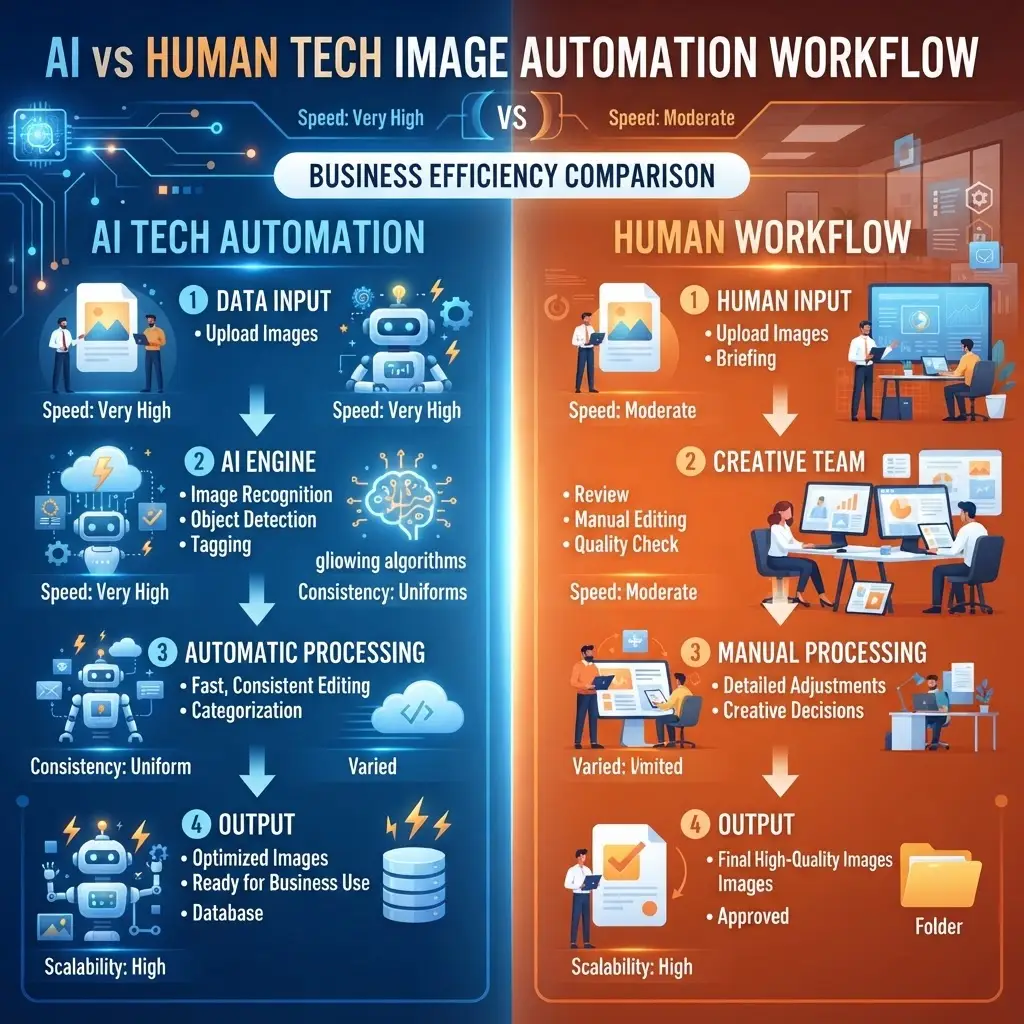
AI Automation vs Human Workflow AI generated Image
Frequently Asked Questions
Is automated follow-up impersonal?
No. Silence is impersonal. A short, useful, reply-ready note is better than no reply at all. Automation should support the personal touch, not replace it.
How many follow-up touches are too many?
For a fresh lead, use three or four touches across a week. Mix text and email. For a sent quote, two or three is enough. If the person says no or asks to stop, stop right away.
What is the smallest tool stack I need?
Use a CRM with automation features and a form or chatbot that feeds it. Add Zapier when tools do not connect on their own. That is usually enough for small business automation without a big budget.
Do I need AI for this?
Not for the core system. Scheduling and rules do most of the work. AI tools help at the edges. They can draft message ideas, summarize a chat before a callback, or sort leads by urgency.
Will texting leads get me in trouble?
Text only people who gave you their number for a business inquiry. Identify yourself. Keep the message relevant. Honor stop requests at once. That is the legal baseline and the decent thing to do.
What is the fastest win I can ship this week?
Build instant lead acknowledgment. Send a confirmation text within a minute and add a same-day callback promise. It is a one-hour build, and it stops late-night leads from going cold.
How soon will I see results?
You will usually see a quick lift in week one from instant replies. The bigger gain comes over 60 to 90 days as the no-response, quote, and post-job flows reach more leads.
Where do most owners get stuck?
They can handle the first two automations. They stall on the multi-step ones. The hard parts are timing logic, message writing, and CRM hygiene. Those are good candidates for a build project.
Can a low-cost stack really handle all five?
Yes. A starter CRM, forms or chat, and Zapier can cover the main flows. The real gap is not tech. It is deciding to automate marketing tasks and wire the system together.
How do I measure whether my follow-up automations are working?
Track first response time, touches per lead, and conversion milestones. Aim for sub-1-minute acknowledgment, at least three touches on unanswered leads, and callbacks within 24 hours. Watch close rate over 60 to 90 days.
What should my instant acknowledgment say to feel human?
Keep it short, specific, and reply-ready. Use the lead’s name, service, and city, and promise a clear next step with a time window. Example: Hi Maria, I got your roof inspection request in Riverside. I am Jeremiah. I will call today before 5. If text is easier, reply here.
Where do automations break most often, and how do I prevent it?
Breaks usually come from missed connections between forms or chat and the CRM, poor timing logic, and messy data. Test each trigger end to end, use Zapier when native integrations are missing, and add a human tripwire so any reply stops the sequence.
How do I prioritize the build if I only have a Saturday?
Ship in payback order: 1) instant lead acknowledgment, 2) no-response sequence, then 3) a simple quote follow-up at day 3 to 5. Leave the post-job and long-nurture flows for later or for a one-time build project.
Can I do this without sounding spammy?
Yes. Cap sequences at three or four touches, keep messages useful and easy to answer, personalize with real details, and stop immediately on a reply or no. Read messages out loud. If you would not say it at the counter, do not send it.

Want help finding the leaks?
Bring your last month of inquiries to a free 30-minute audit, and we will map the gaps. We will show you which follow-ups are missing and which two automations would recover the most revenue first.